





Tools for Roll20, to help with Character Sheet Development.
- recognize, autocompletes, and on hover, shows documentation + links
- elements:
<rolltemplate>and<charmancer> - global attributes:
data-i18nand it's variants - recognize: button
type="roll",type="action"; inputtype="hidden"as options
- elements:
- snippets: common roll20 elements & fills out with relevant attributes
Roll20 rolltemplate syntax is higlighted in .html-files using Handlebar-syntax
Any files named .rolltemplate or .rtemplate will show HTML & rolltemplate syntax highlight
<script type="text/worker">-blocks in.html-files now shows js highlight properly
- snippets: common roll20 elements & fills out with relevant attributes
- e.g. inputs always have
name="attr_", buttons recognizetype="roll"&"action"
- e.g. inputs always have
- autocomplete & documentation links: partial
- couple of snippets
Roll20 Sheet Development documentation, and rolltemplate/sheetworker syntax highlight:

Pug-snippet expanded
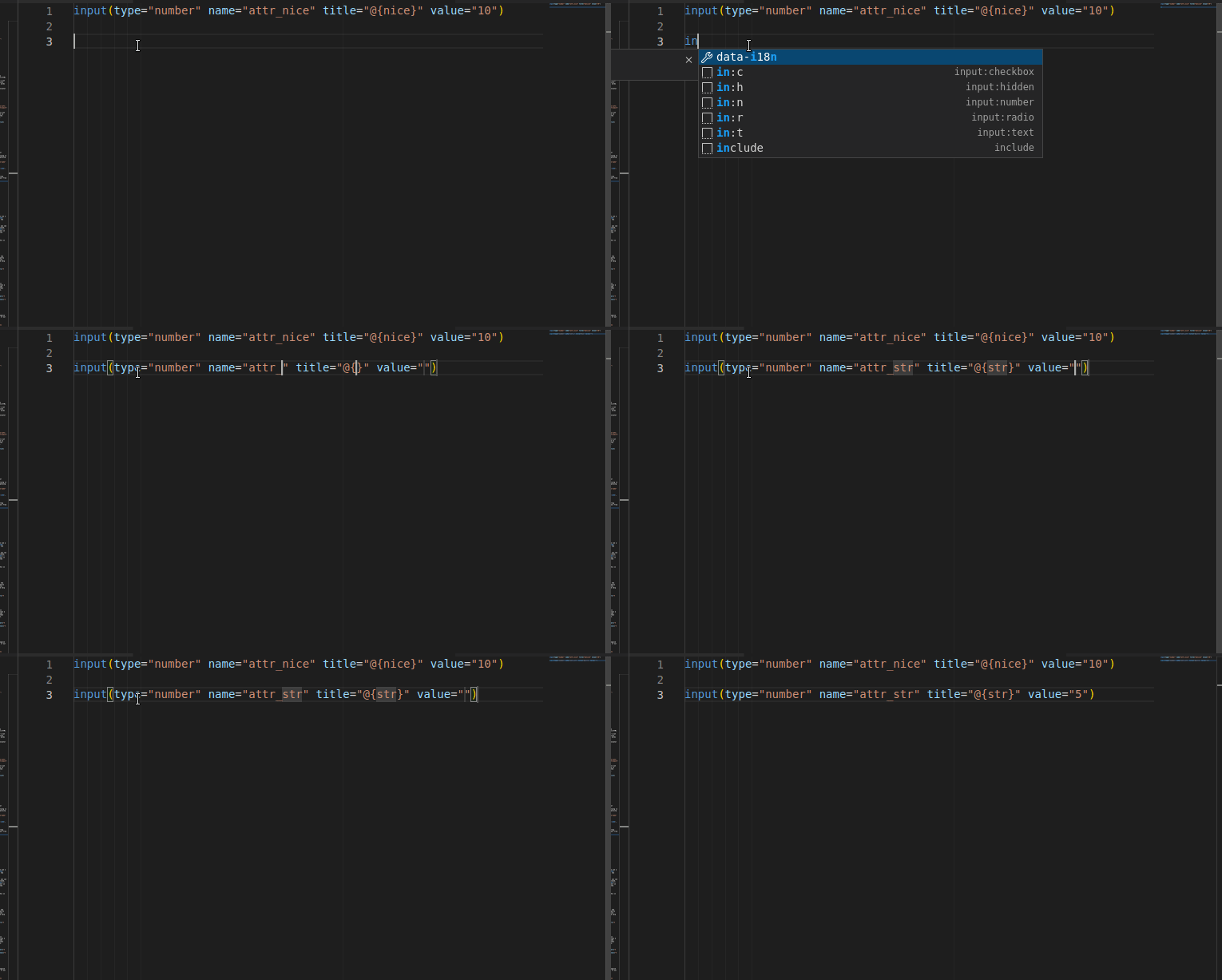
repo: Anduh/vscode-roll20sheetdev
You can help even without knowing how VS Code extensions work. Here are a few concrete parts to start from:
- add more html/pug/css/js Snippets: if you look at the existing snippets for the plugin, you can follow the same patterns and expand the collection of snippets easily.
- About:VS Code Snippet Syntax
Roll20 Macros is a related extension, which provides syntax highlight for Roll20's macro & dice syntax.