Skip to content

Conversation

@ntchou
Copy link
Collaborator

@ntchou ntchou commented Nov 22, 2020

@ntchou ntchou force-pushed the feat/FRONT-289-absolute-import branch from 096c5ad to 1c51c9d Compare November 22, 2020 21:20
@ntchou ntchou changed the title Feat/front 289 absolute import absolute import on client side Nov 22, 2020
@HugoGresse
Copy link
Member

I'm not sure I agree with that. Auto import will not work with absolute import and each import will need to be changed manually after :/ at least on Intellij Idea.
What's the benefit?

@ntchou
Copy link
Collaborator Author

ntchou commented Nov 22, 2020

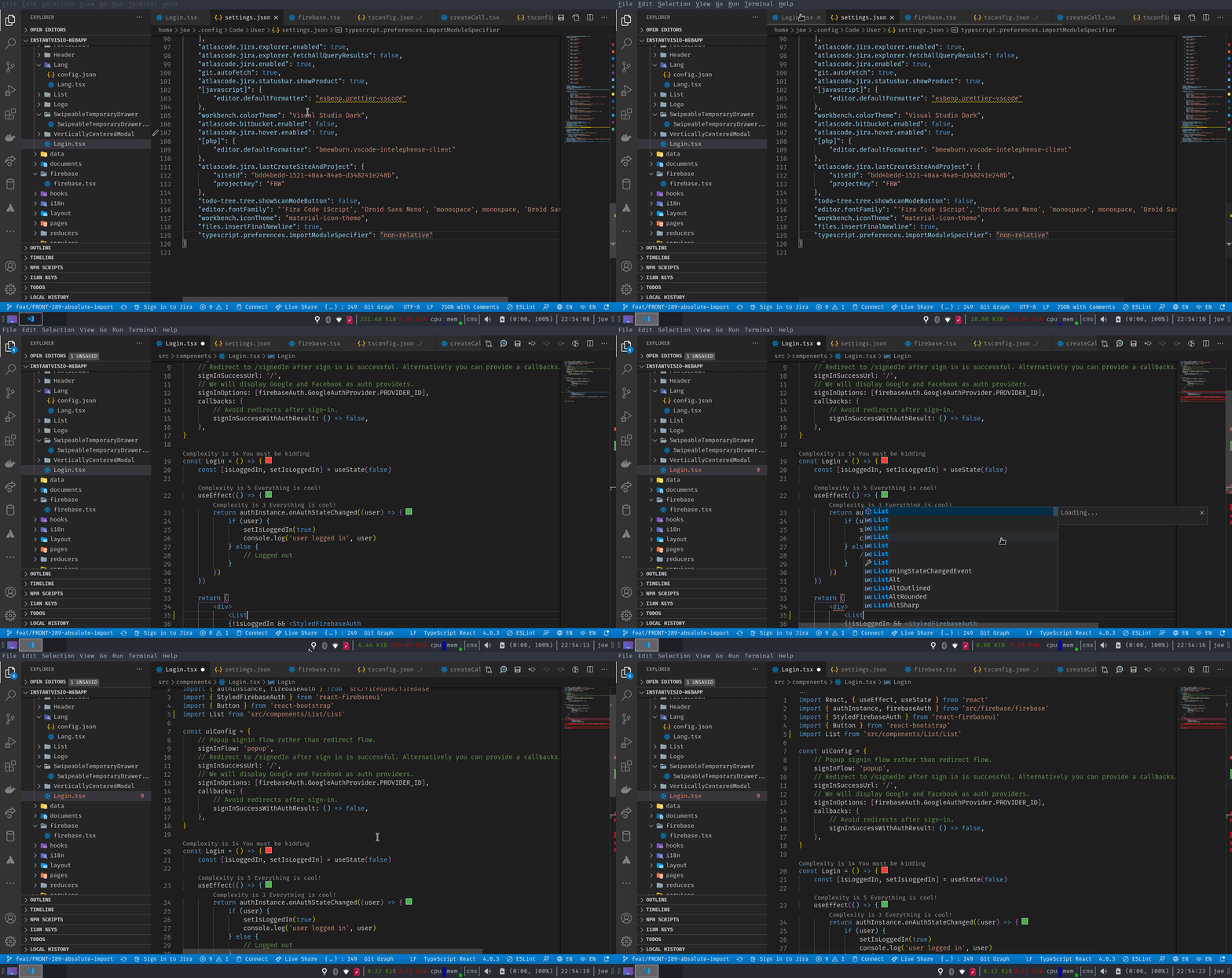
It works if you set "typescript.preferences.importModuleSpecifier" to "non-relative".
autoimport

And for the benefits:

  • No more slashes and dots to reference a path
  • You can move a file without having to update its input paths
  • You can copy/paste code including imports into other files and not have to fiddle with the import paths.
  • It's neat

@ntchou ntchou changed the title absolute import on client side absolute import on client side #289 Nov 22, 2020
@ntchou ntchou changed the title absolute import on client side #289 Absolute path on client side #289 Nov 22, 2020
@HugoGresse
Copy link
Member

* No more slashes and dots to reference a path

OK

* You can move a file without having to update its input paths

Already possible, at least in Intellij with the refactor tools

* You can copy/paste code including imports into other files and not have to fiddle with the import paths.

Already the case, at least in Intellij, you can copy any code and the dependency will be added to the file on past.

I hope the typescript settings will work will Intellij!

@MattiaPrimavera
Copy link
Collaborator

You can move a file without having to update its input paths

You should already be able doing this in VS code as well

You can copy/paste code including imports into other files and not have to fiddle with the import paths.

Sure this does not work already in VS code instead ?

Are existing paths updated automatically ? I'm working on this: will all relative paths I inserted (a lot ...) be not valid anymore and have to be fixed manually ?

@ntchou
Copy link
Collaborator Author

ntchou commented Nov 23, 2020

You can move a file without having to update its input paths

You should already be able doing this in VS code as well

Yes you're right

You can copy/paste code including imports into other files and not have to fiddle with the import paths.

Sure this does not work already in VS code instead ?

Yes it already does

Are existing paths updated automatically ? I'm working on this: will all relative paths I inserted (a lot ...) be not valid anymore and have to be fixed manually ?

I don't think so

@ntchou
Copy link
Collaborator Author

ntchou commented Nov 23, 2020

* No more slashes and dots to reference a path

OK

* You can move a file without having to update its input paths

I was talking about vs code. I don't use Intellij. So i don't khow how it works.

Already possible, at least in Intellij with the refactor tools

* You can copy/paste code including imports into other files and not have to fiddle with the import paths.

Already the case, at least in Intellij, you can copy any code and the dependency will be added to the file on past.

I hope the typescript settings will work will Intellij!

Sign up for free to join this conversation on GitHub. Already have an account? Sign in to comment

Labels

None yet

Projects

None yet

Development

Successfully merging this pull request may close these issues.

4 participants