


A powerful, lightweight text editor for Android with syntax highlighting, smooth editing experience, and professional code editing features.
⚠️ Note: This editor may not fully support some Android keyboards yet.
Compatibility improvements are under active development as part of ongoing research.
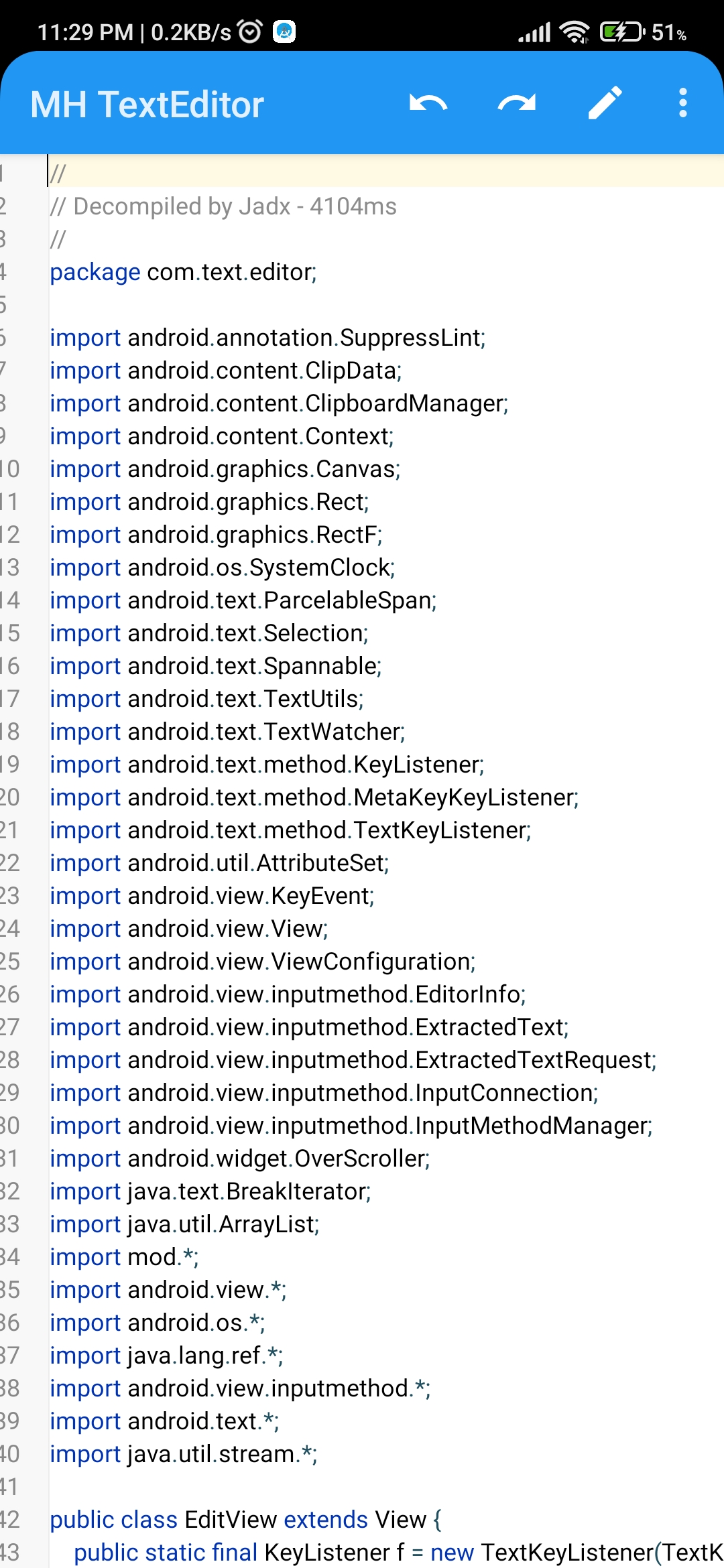 |
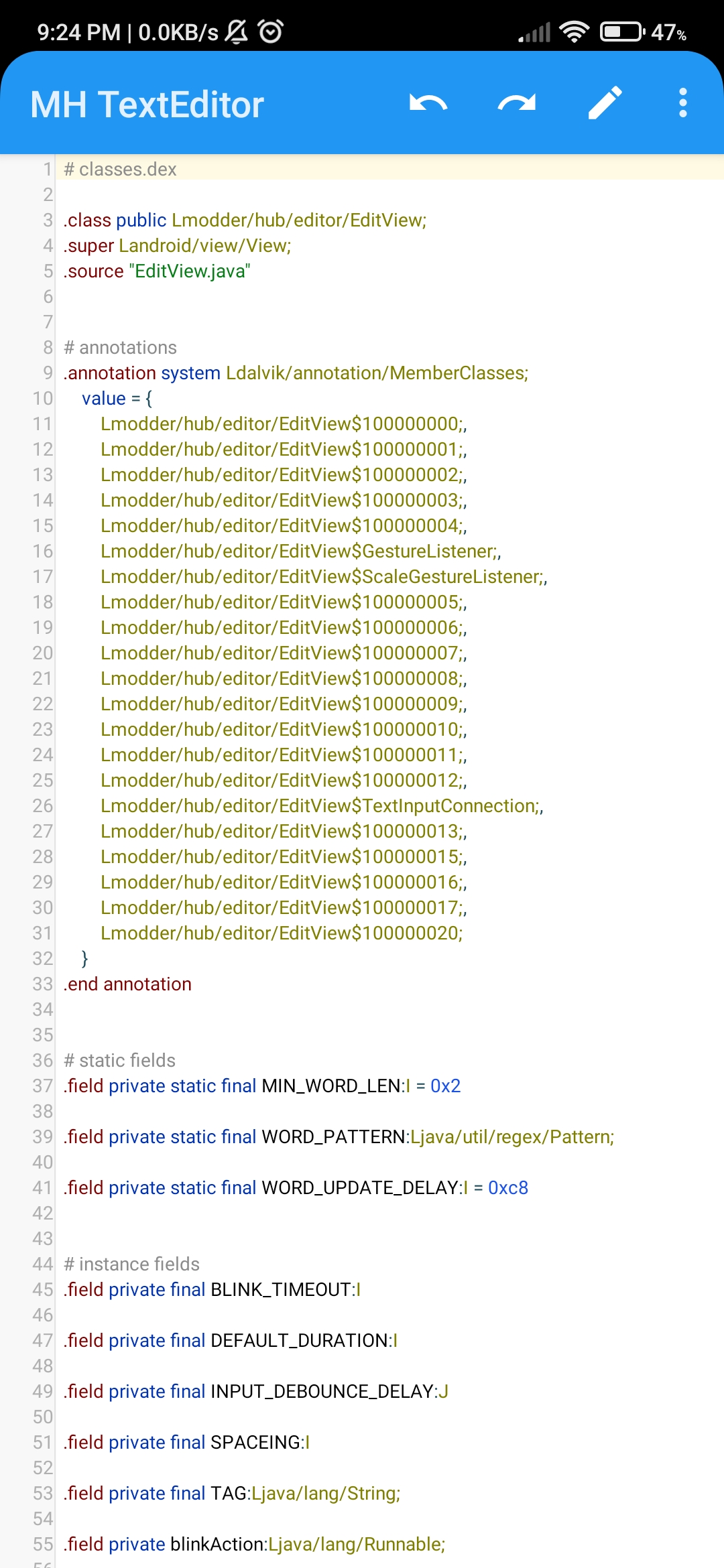 |
|---|---|
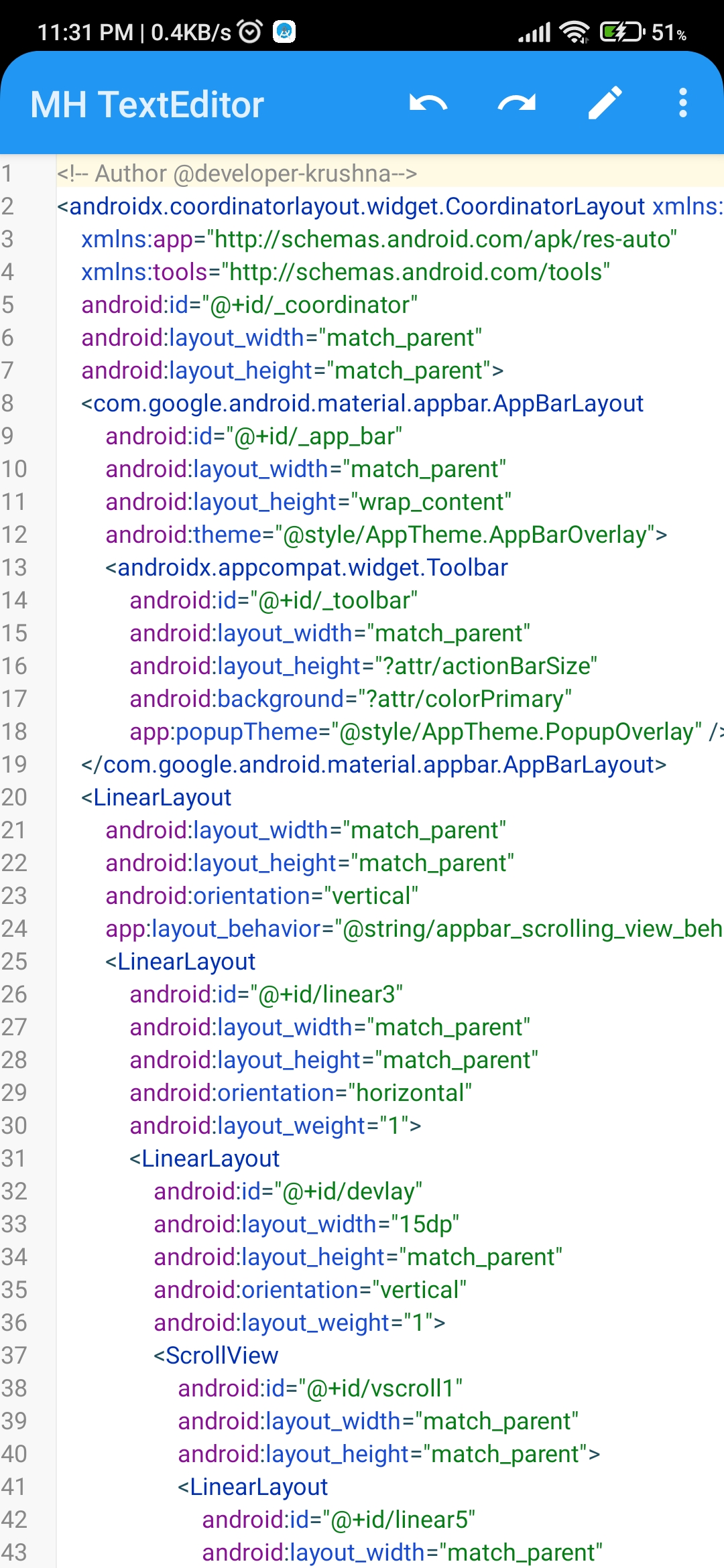 |
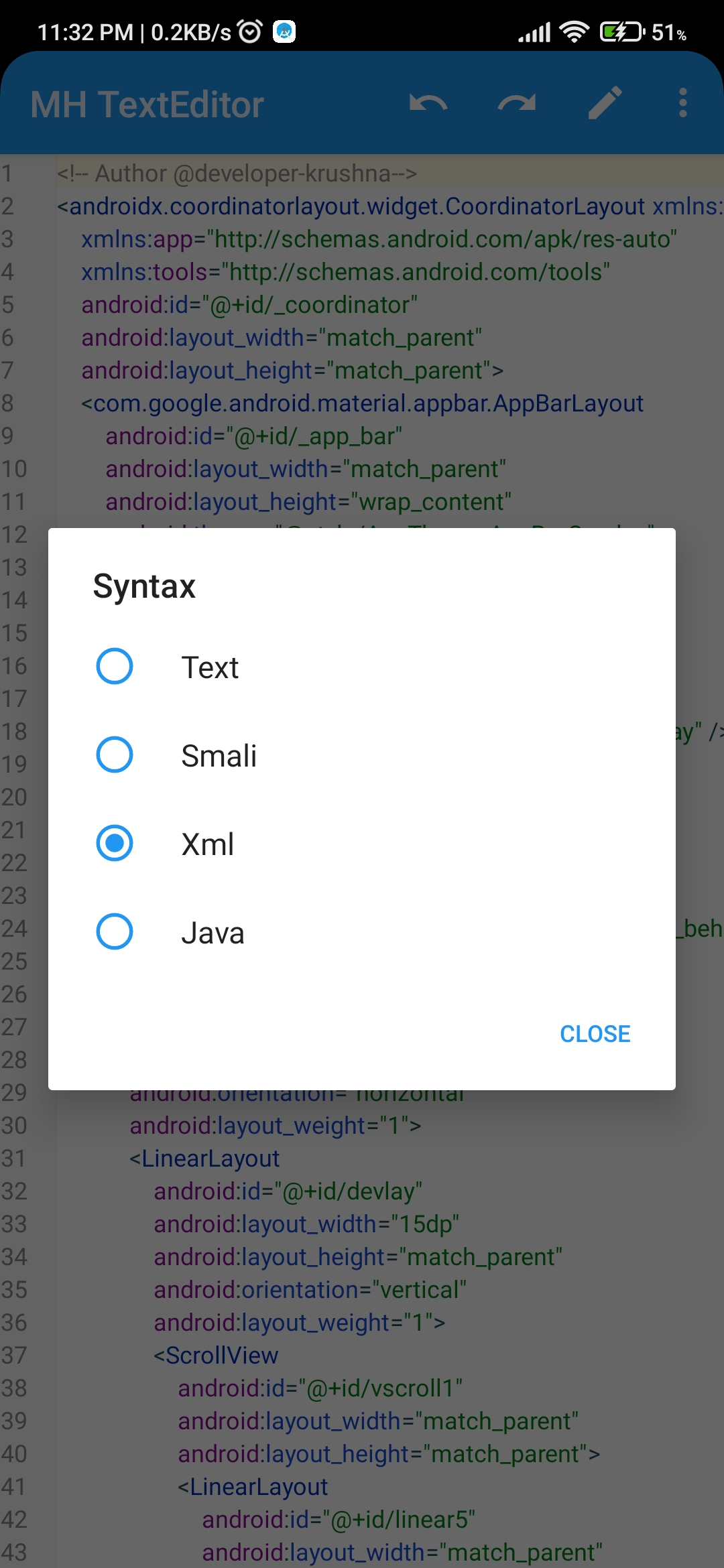 |
| ------------------------------------------ | ------------------------------------------ |
 |
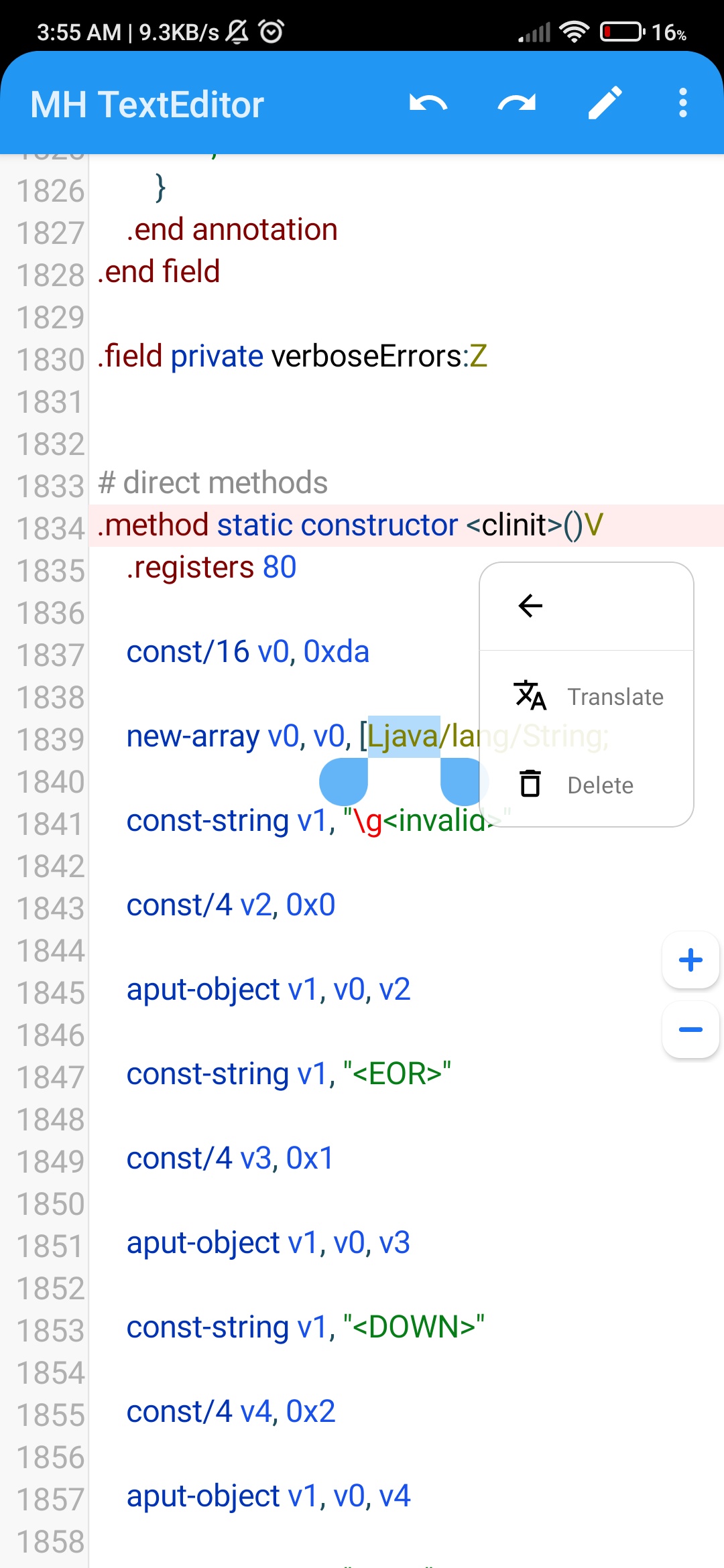 |
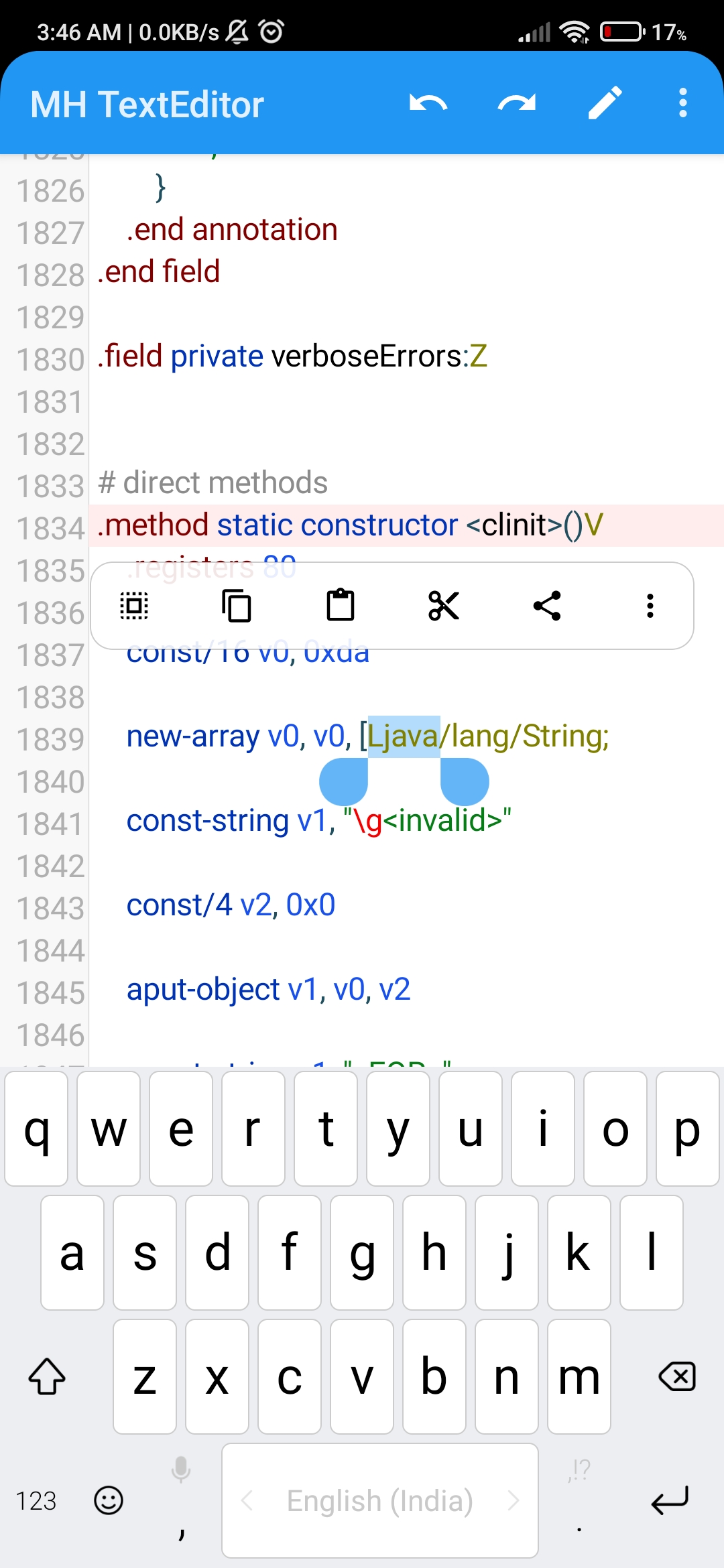
- Smooth Text Editing — Fast and responsive typing experience
- Syntax Highlighting — Support for multiple programming languages (Java, XML, JSON, etc.)
- Line Numbers — Clean, right-aligned line numbers with proper margins
- Customizable Text Size — Pinch-to-zoom and manual text size adjustment
- Multiple Font Support — Custom typeface support for better readability
- Smart Selection — Word selection, line selection, and text range selection
- Copy / Cut / Paste — Full clipboard support with system integration
- Find & Replace — Regex-powered search and replace functionality
- Undo / Redo — Unlimited undo/redo operations with gap buffer implementation
- Auto-Indent — Smart indentation preservation on new lines
- Magnifier — Built-in magnifier for precise cursor positioning
- Selection Handles — Visual drag handles for text selection
- Floating Clipboard Panel — Context-aware clipboard actions
- Keyboard Support — Full hardware keyboard support with meta keys
- Input Method Support — Optimized for various soft keyboards
- Gap Buffer Implementation — Efficient text storage for large files
- Smooth Scrolling — Physics-based scrolling with fling gestures
- Cursor Blink — Visual cursor indication with customizable blink rate
- Touch Gestures — Double-tap, long-press, and scroll gestures
- Auto-complete — Intelligent word completion and suggestions
<!-- In your layout XML -->
<modder.hub.editor.EditView
    android:id="@+id/editView"
    android:layout_width="match_parent"
    android:layout_height="match_parent"
	android:layout_marginTop="0dp"
    android:layout_marginStart="0dp"
    android:paddingTop="0dp"
    android:paddingStart="0dp"
    android:focusable="true"
    android:focusableInTouchMode="true"/>
// In your Activity
EditView editView = findViewById(R.id.editView);
editView.setText("Your code here");
editView.setSyntaxLanguageFileName("java.json");// Set text size
editView.setTextSize(16); // in pixels
// Enable features
editView.setMagnifierEnabled(true);
editView.setAutoIndentEnabled(true);
// Set typeface
Typeface typeface = Typeface.MONOSPACE;
editView.setTypeface(typeface);
// Set listeners
editView.setOnTextChangedListener(new OnTextChangedListener() {
@Override
public void onTextChanged() {
// Handle text changes
}
});| Method | Description |
|---|---|
setText(String text) |
Set editor content |
getText() |
Get current text |
setTextSize(float size) |
Set text size in pixels |
setTypeface(Typeface typeface) |
Set custom typeface |
setSyntaxHighlightingEnabled(boolean enabled) |
Toggle syntax highlighting |
| Method | Description |
|---|---|
undo() |
Undo last operation |
redo() |
Redo last operation |
copy() |
Copy selected text |
cut() |
Cut selected text |
paste() |
Paste from clipboard |
selectAll() |
Select all text |
clearSelection() |
Clear current selection |
| Method | Description |
|---|---|
gotoLine(int line) |
Navigate to specific line |
find(String regex) |
Find text using regex |
replaceFirst(String replacement) |
Replace first match |
replaceAll(String replacement) |
Replace all matches |
| Method | Description |
|---|---|
setEditedMode(boolean editMode) |
Enable/disable editing |
setMagnifierEnabled(boolean enabled) |
Toggle magnifier |
setAutoIndentEnabled(boolean enabled) |
Toggle auto-indent |
setOnTextChangedListener(OnTextChangedListener listener) |
Text change callback |
// Custom colors
editView.setBackgroundColor(Color.WHITE);
editView.setLineNumberBackground(Color.parseColor("#F8F8F8"));
editView.setLineNumberColor(Color.GRAY);Add custom syntax definition files in JSON format to extend language support:
{
  "name": ["Java", ".java", ".jsp"],
  "comment": [
    { "startsWith": "//" },
    { "startsWith": "/*", "endsWith": "*/" }
  ],

  "rules": [
    // Single-line and multi-line comments
    { "type": "comment", "regex": "//.*" },
    { "type": "comment", "regex": "/\\*[\\s\\S]*?\\*/" },
      // Triple-quoted strings
    {
      "regex": "\"\"\"[\\s\\S]*?\"\"\"",
      "groupStyles": { "0": "string" }
    },

    // Quoted strings
    { "type": "string", "regex": "\"(?:\\\\.|[^\"])*\"" },
    { "type": "string", "regex": "'(?:\\\\.|[^'])'" }
  ]
} app/
├── editor/
│ ├── EditView.java # Main editor component
│ ├── GapBuffer.java # Efficient text storage
│ ├── WordWrapLayout.java # Word wrapping implementation(Not ready)
│ ├── highlight/
│ │ └── SyntaxConfig.java # Syntax highlighting engine
│ └── component/
│ └── ClipboardPanel.java # Clipboard context menu
@Override
public boolean onCreateOptionsMenu(Menu menu) {
    getMenuInflater().inflate(R.menu.editor_menu, menu);
    return true;
}

@Override
public boolean onOptionsItemSelected(MenuItem item) {
    switch (item.getItemId()) {
        case R.id.menu_undo:
            editView.undo();
            return true;
        case R.id.menu_redo:
            editView.redo();
            return true;
        case R.id.menu_find:
            showFindDialog();
            return true;
    }
    return super.onOptionsItemSelected(item);
}// Load file
String fullText = readFile(path.toString());
// Replace buffer wholesale (like setText, but async)
GapBuffer newBuffer = new GapBuffer(fullText);
editView.setBuffer(newBuffer);
// Save file
String content = editView.getText();
writeFile(filePath, content);-
Keyboard not showing
- Ensure
setFocusable(true)andsetFocusableInTouchMode(true)are called - Check input connection implementation
- Ensure
-
Keyboard not supporting
- As of my test I have seen some keyboards are not working for the editor causing unexpected issues..
- So it's recommended to use Google Keyboard for testing now..
- I will try to improve the KeyUp and down function
-
Syntax highlighting not working
- Verify syntax definition files are in
assets - Check if highlighter is properly initialized
- Verify syntax definition files are in
-
Performance with large files
- Use gap buffer optimization
- Enable word wrap for better performance
Enable debug logging to troubleshoot issues:
Log.d("MH-TextEditor", "Current cursor: " + editView.getCaretPosition());Copyright (C) 2025 Krushna Chandra(@developer-krushna)
This program is free software: you can redistribute it and/or modify
it under the terms of the GNU General Public License as published by
the Free Software Foundation, either version 3 of the License, or
(at your option) any later version.
This program is distributed in the hope that it will be useful,
but WITHOUT ANY WARRANTY; without even the implied warranty of
MERCHANTABILITY or FITNESS FOR A PARTICULAR PURPOSE. See the
GNU General Public License for more details.
You should have received a copy of the GNU General Public License
along with this program. If not, see <https://www.gnu.org/licenses/>.
We welcome contributions! Please feel free to submit pull requests, report bugs, or suggest new features.
- Fork the repository
- Clone your fork
- Create a feature branch
- Make your changes
- Submit a pull request
- Follow Android code style guidelines
- Use meaningful variable names
- Add comments for complex logic
- Include JavaDoc for public methods
If you encounter any issues or have questions:
- Check the Issues page
- Create a new issue with detailed description
- Provide code samples and error logs
- Inspired by modern code editors
- Thanks to contributors and testers
- Built with attention to performance and user experience
MH-TextEditor — Making code editing on Android better, one line at a time.